
Always-on-top overlay
Keeps the notch visible above other windows without appearing in the taskbar.
A native notch overlay for Windows, inspired by the macOS notch and Dynamic Island.
Notchi only runs on Windows. You can still browse every release from this site.
01
The notch stays out of the way, then expands with media controls, system stats, notes and files.
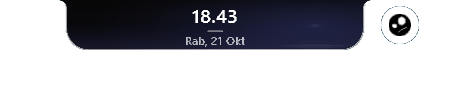 Compact
 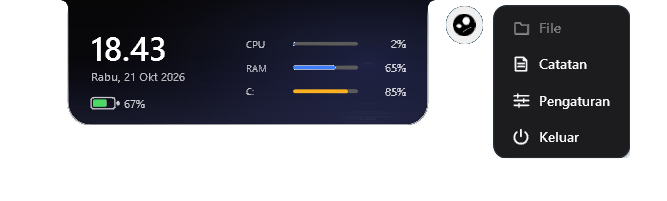 Expanded
 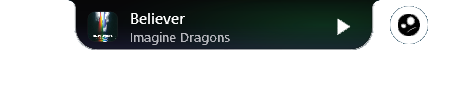 Compact
 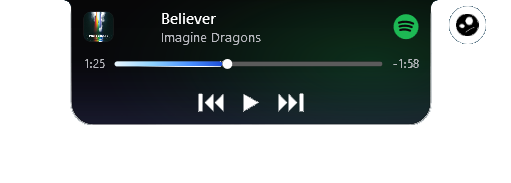 Expanded
 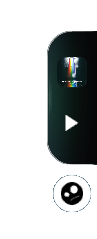 Compact
 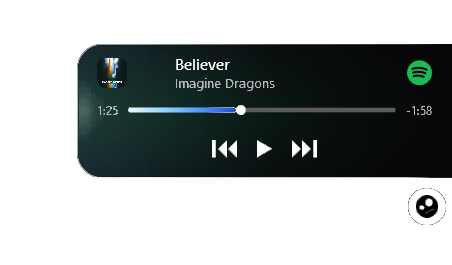 Expanded
 02
A focused set of tools that stays close at hand without taking over your screen.
Keeps the notch visible above other windows without appearing in the taskbar.
Stays compact while idle and expands smoothly when the cursor moves over it.
Track info, album art, progress, seeking and playback controls through Windows SMTC.
Clock, date, battery, CPU, RAM and disk usage at a glance.
A dedicated notes window with automatic saving.
Drag files onto the notch to open, reveal, copy paths or clear them.
Snap to the top center, left center or right center of the screen.
Remembers the last anchor and restores it on the next launch.
Choose which system metrics are visible and start Notchi with Windows.
Native WPF with no Electron or webview, and low idle resource usage.
03
Notchi runs on 64-bit Windows 10 and Windows 11.
| Component | Minimum | Recommended |
|---|---|---|
| Operating system | Windows 10 version 2004 (build 19041), 64-bit | Windows 11 version 22H2 or later, 64-bit |
| Architecture | x64 | x64 |
| Processor | 1 GHz dual-core or equivalent | 2 GHz quad-core or equivalent |
| Memory | 4 GB RAM | 8 GB RAM |
| Storage | 150 MB free space | 250 MB free space on an SSD |
| Display | 1280 × 720 | 1920 × 1080 or higher |
The installer is per-user and does not require administrator privileges.
04
Get the latest stable version from this site or the GitHub releases page.
The per-user installer starts right away and does not need administrator rights.
The notch appears at the top of your screen. Hover over it to expand.
The installer is not code-signed yet, so Windows may warn you the first time. Choose “More info” then “Run anyway” only if you downloaded the file from this site or GitHub.
Looking for a beta? Pre-releases are listed on the versions page.
FAQ
Notchi supports Windows 10 version 2004 (build 19041) or later, and Windows 11, on x64.
The installer is not code-signed yet. Windows may show a SmartScreen warning; verify the SHA-256 checksum before choosing “More info” then “Run anyway”.
No. Notchi installs per-user under %LOCALAPPDATA% and does not require administrator privileges.
Yes. Every published release stays available on the all versions page.